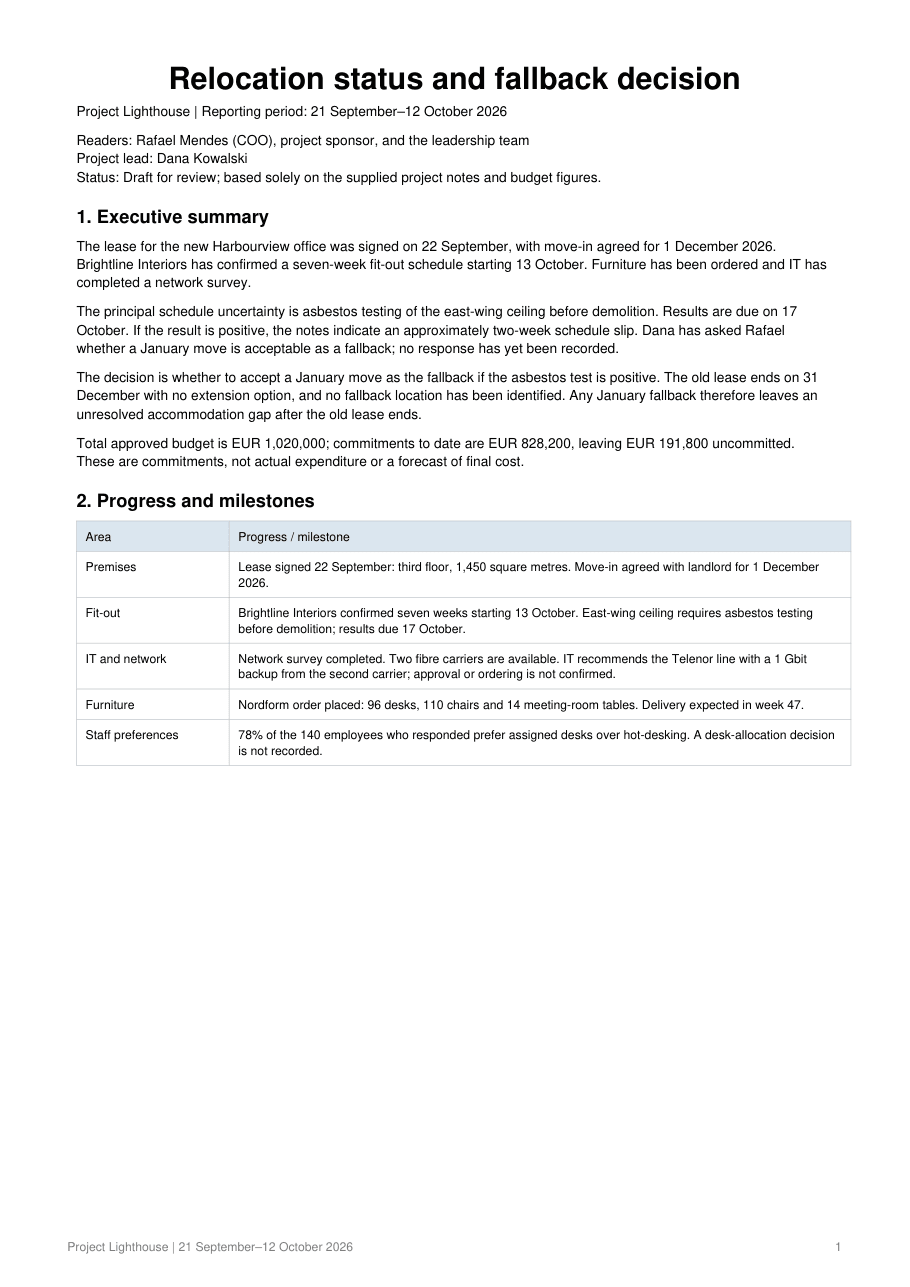
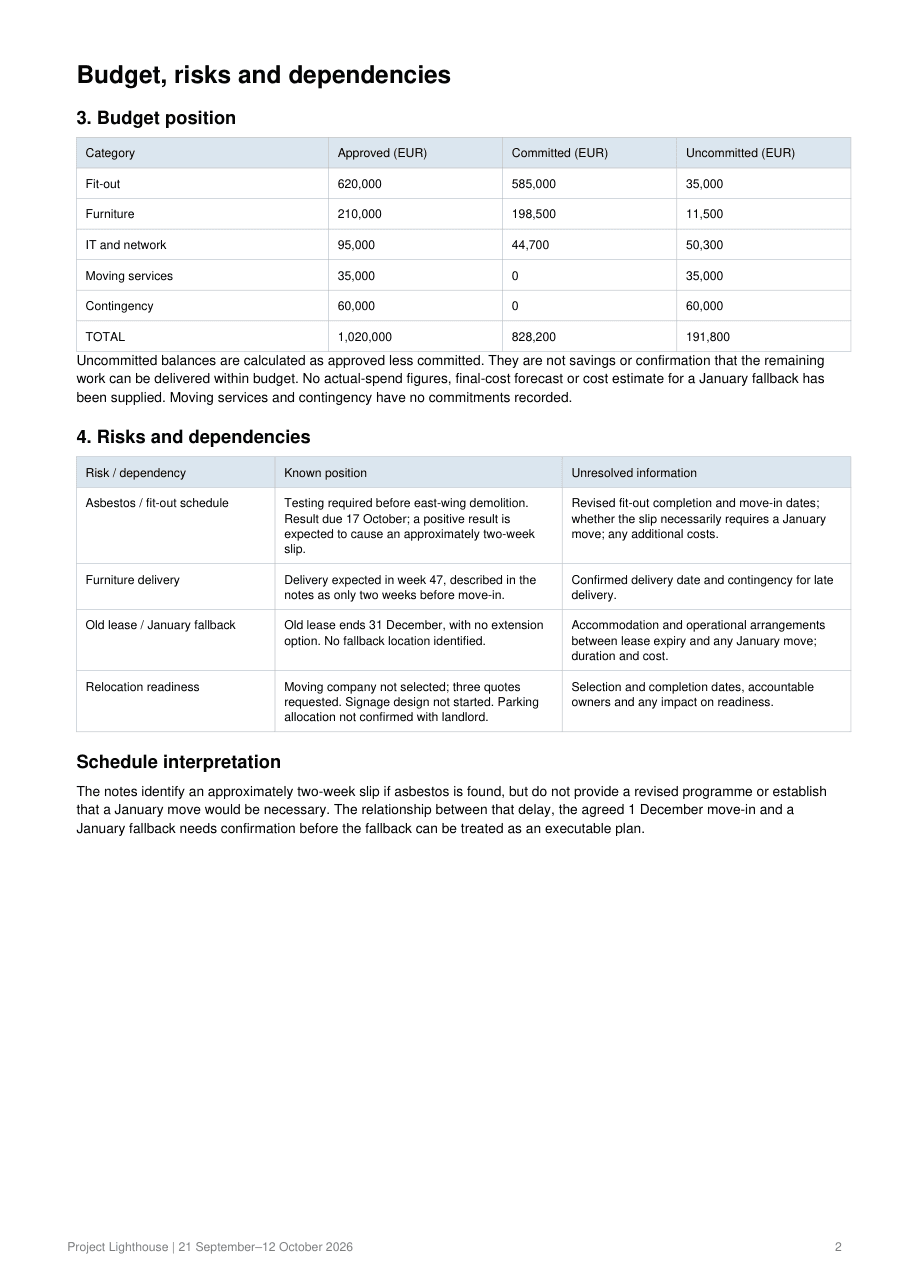
This workflow drafts a new document and exports it as a PDF. To make changes, revise the editable source and export again. For an existing PDF, use the PDF editor for manual changes or ask Air9 to rebuild its content as a new document
Does the PDF look right on paper?+
Export produces a real PDF with headings, tables and page breaks. Check it before sending; A4 and Letter are both supported
What happens after I click start?+
You open a screen for this task, where you can add files, write what you need or try an example before sending
Will the AI fill in missing facts?+
Tell Air9 which facts to use and ask it to flag anything missing. Check important values and commitments against your sources before using the result